FiveM Bodydamages - Track your bodydamages and health
Overview: This script enables players to view the damage they have incurred, including the type of damage (injuries, gunshot wounds, cuts, and punches) and the…
One-time payment · tax included · instant download
- Instant downloadFiles unlock the moment payment confirms.
- License key includedA unique FiveM authorization key is issued with your order.
- Framework
- ESX
- Framework
- QBCore
- Instant digital delivery
- 256-bit SSL checkout
- Lifetime file updates
- Discord tech support
What you get
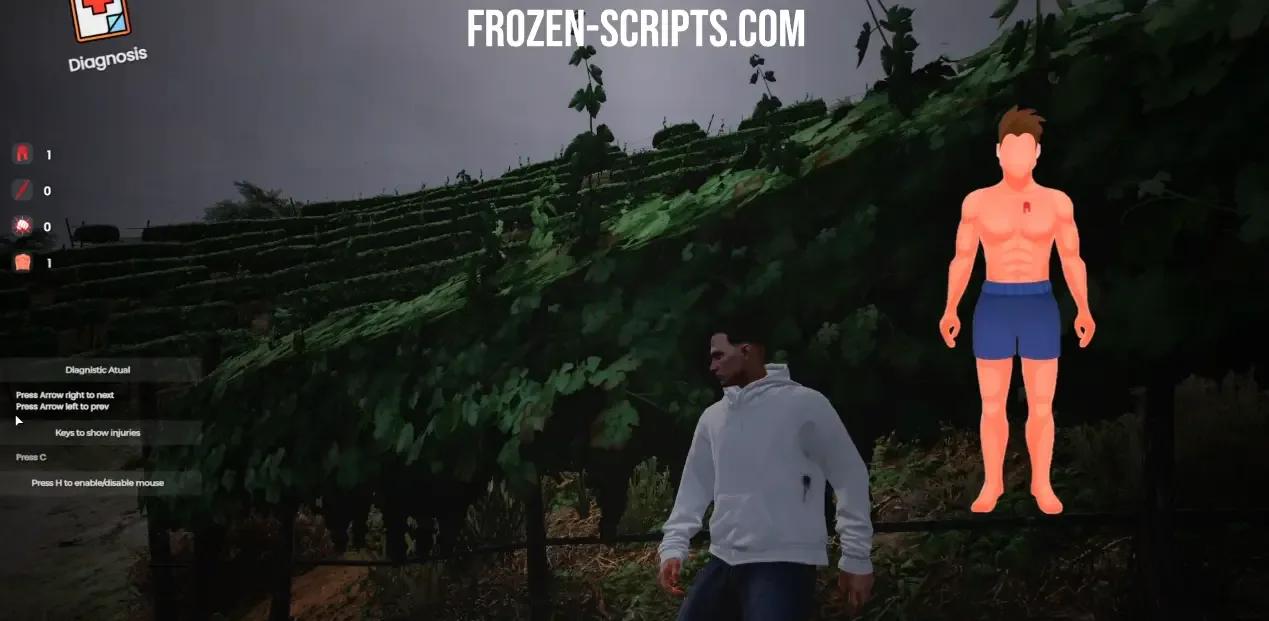
Overview: This script enables players to view the damage they have incurred, including the type of damage (injuries, gunshot wounds, cuts, and punches) and the cause of death. This is especially useful in Roleplay Servers, as it facilitates medical role-playing by providing a detailed breakdown of injuries and their locations.
Features:
- Provides information on various types of injuries, including bruises, gunshot wounds, cuts, and punches
- Indicates the cause of death
- Features a user-friendly graphical interface that resets as soon as the player's maximum life is restored
- Allows players to check their own injuries and those of nearby players using the command /health e /diagnosis
- The graphical interface can be closed by entering the command again or pressing ESC or BACKSPACE
- Examples of the various injuries are provided
Performance: During testing, the MS (millisecond) value was observed to be consistently low, ranging from 0.02ms to a maximum of 0.03ms.
Configuration: To use the script, simply add it to your resources folder and include it in your server.cfg (start mx_bodydamages) before starting the server. You can also customize the script's graphical interface by editing the client/configurate.lua file. This includes translating any text displayed in the interface, adjusting its scale and position, and modifying the associated commands to suit your needs.
Works with
- ESX Legacy
- QBCore
Customer reviews
No reviews yet. Customers who own this product can write the first one.
Customer reviews will show up here.
Frequently asked questions
When will I get my order?
Instantly. As soon as your payment is confirmed, the files appear in your Downloads, together with every future update.
Which frameworks does it support?
Each script lists its frameworks on the product page (ESX, QBCore, Qbox or standalone).
Do I need a license key?
Scripts marked “License key included” are tied to your server’s IP. You can change the IP yourself any time on your License keys page.
Are updates included?
Yes. Every purchase includes all future updates, downloadable from your account.
What if I need help?
Open a ticket in our Discord and the team will help you get it running.